ModelPort: On-device AI for Flutter
Run PyTorch, Hugging Face and GGUF models in a Flutter app with one line of Dart, and prove the phone gives the same answer as Python.
- Python CLI on PyPI: exports PyTorch, torchvision and Hugging Face models to ONNX and ExecuTorch, and imports GGUF language models
- Five Dart packages on pub.dev: a core, a Flutter setup package, and adapters for ONNX Runtime, ExecuTorch and llama.cpp
- Golden checks: every model ships with a saved input and PyTorch’s output, re-run on the phone with one call
Project Overview
Putting an AI model into a mobile app is mostly glue work: convert the model, guess its input shape, rewrite image preprocessing in Dart, download and cache large files, then hope the phone agrees with Python. When preprocessing is slightly off nothing crashes; the results just get quietly worse. ModelPort automates that glue. A Python CLI prepares the model and writes a manifest describing everything about it. Dart packages read the manifest, run the model with one line of code on any of three inference engines, and check the phone’s answer against PyTorch’s.
Requirements & Features
- Python CLI on PyPI: exports PyTorch, torchvision and Hugging Face models to ONNX and ExecuTorch, and imports GGUF language models
- Five Dart packages on pub.dev: a core, a Flutter setup package, and adapters for ONNX Runtime, ExecuTorch and llama.cpp
- Golden checks: every model ships with a saved input and PyTorch’s output, re-run on the phone with one call
- Image classification, object detection and fully offline chat with local language models
- fp16 and int8 variants, each verified against PyTorch before it is published
- One API across three inference engines, so an app ships only the engines it needs
- Resumable, SHA-256-checked downloads that keep working offline after the first fetch
- An open manifest format, backed by a JSON Schema and shared by Python and Dart
Challenges I Solved
- Byte-identical preprocessing: reimplemented Pillow’s image resizing in Dart down to its 22-bit fixed-point rounding, so Python and Dart produce identical tensors on all 12 cross-language fixtures
- Proving the phone is right: on a 2019 mid-range Android phone, the on-device result differed from PyTorch by just 3.3e-5
- The pure-Dart JPEG decoder took 717 ms on the phone: switching to the Flutter engine’s native decoder and a background isolate cut classification from 954 ms to 584 ms, and to 382 ms end to end on ExecuTorch
- Engines are heavy: ExecuTorch adds about 7.6 MB to a release APK, ONNX Runtime about 28.7 MB and llama.cpp about 60 MB, so each engine is its own package and an app pays only for what it uses
- Flutter pins its own meta package, so a core package with too high a constraint will not even install: constraints tuned until all five packages resolve inside a real Flutter app
What I Delivered
A Python CLI on PyPI, five Dart and Flutter packages on pub.dev, an open manifest spec with a JSON Schema, a demo app, a tested model zoo, and a documentation site with guides, performance data and troubleshooting, released under Apache-2.0.
Results
- MobileNetV3 on a 2019 phone: 17 ms per inference on ExecuTorch vs 77 ms on ONNX Runtime
- Offline chat with SmolLM2 135M: first words in 0.9 s on the phone
- Core packages score 160/160 pub points; 300+ automated tests, including integration tests on a real Android phone
- 170+ commits and 6 GitHub Actions workflows, with automated PyPI publishing
Technology Stack
- Client
- Open source (Apache-2.0)
- Completed
- 2026
- Platform
- Web application
- Duration
- October 2026
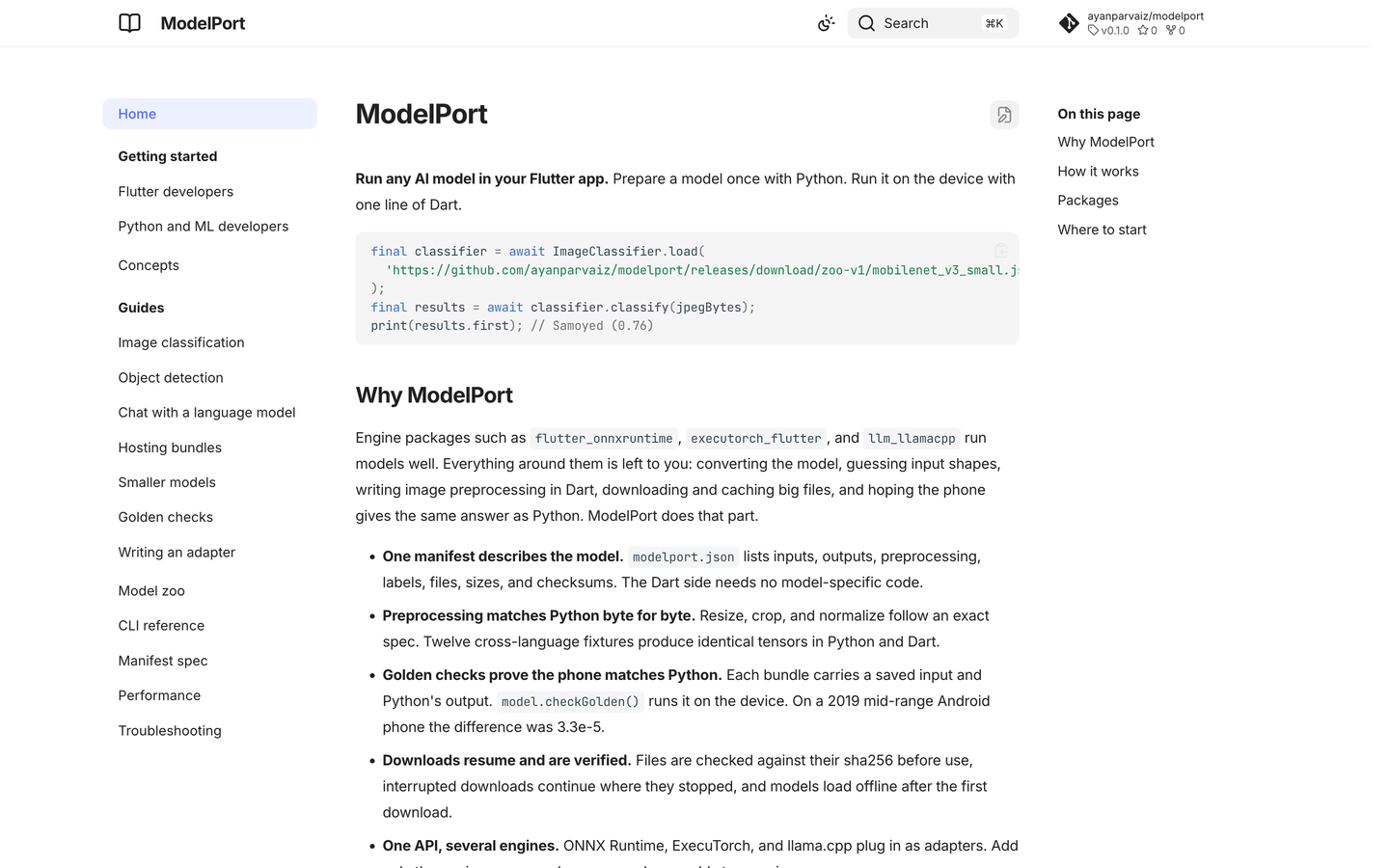
ModelPort: On-device AI for Flutter screenshots
4 screens from the shipped product. Click any shot to enlarge it.
Documentation site Performance on a real phone pub.dev package page GitHub repository
Want something like ModelPort: On-device AI for Flutter?
I scope in 48 hours and ship in weeks — not quarters. Tell me what you're building.