Passing App Store Review on the First Try: UGC Moderation, EULA and Privacy Labels in Flutter
How we shipped OutSpot — a Flutter social app with location, UGC and in-app purchases — through App Store review on the first pass. The exact Guideline 1.2 checklist, EULA rules, privacy labels and purpose strings.
 Ayan Parvaiz7 min read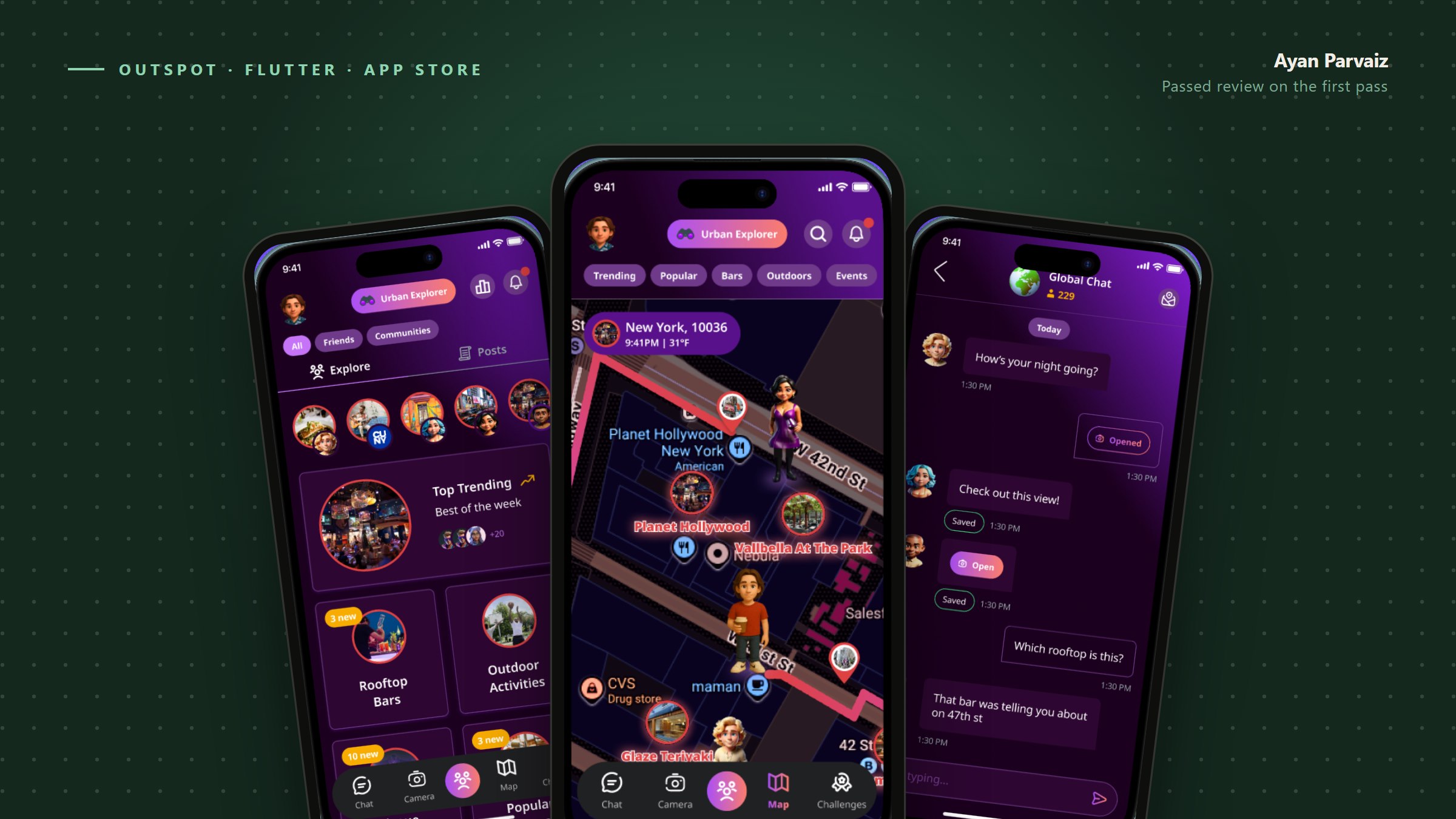
Most Flutter developers I know have a rejection story. Mine is the opposite, and it took me a while to work out why.
We submitted OutSpot — a location-based social app with community feeds, real-time chat, in-app purchases and a camera — and it passed review on the first pass. Same codebase, five platforms. No resubmission, no appeal, no week lost.
An app like that is exactly the profile Apple rejects most often. Location data, user-generated content, strangers messaging each other, purchases. Every one of those is a guideline with teeth.
What I learned is that App Store review is not a taste test. It is a checklist, it is published, and almost every rejection I have seen from other teams is a missing checkbox rather than a judgement call. Here is the checklist we worked through.
The rule that rejects social apps: Guideline 1.2
If your app lets one user see content created by another user, you are under Guideline 1.2, Safety – User-Generated Content. It does not matter whether you call it a feed, a comment, a profile bio, or a chat message. If a stranger can put text or an image in front of another user, you are in scope.
Apple asks for four specific things. Not three. All four, and a reviewer will look for each of them.
1. A method for filtering objectionable material.
You need something between the user pressing send and the content going live. Automated filtering is enough to satisfy the requirement — you do not need human moderators on day one. Text classification on the way in, image scanning on upload, a blocklist. What matters is that it exists and that you can point the reviewer at it.
2. A mechanism for users to report objectionable content.
Every piece of user content needs a reachable report action. Every message, every post, every profile. The most common version of this rejection is an app that has a report button on posts but not on chat messages, or on messages but not on profile photos. Walk your own app and ask, for each surface where content appears: can a user report this?
3. A mechanism for blocking abusive users.
Reporting is about the content. Blocking is about the person. They are two different features and Apple wants both. Blocking has to actually work — the blocked user's content disappears from the blocker's view, and they cannot start a new conversation.
4. Published contact information so users can reach you.
An email address or a contact form the user can find from inside the app, not just on a website somewhere.
And the part people miss because it is not a UI feature: Apple expects you to act on reports within 24 hours by removing the content and ejecting the user who posted it. That is an operational commitment, not a screen. Before you submit, decide who is watching that queue.
Make it findable in ten seconds
The requirement is that these features exist. The practical requirement is that a reviewer can find them without your help. Reviewers spend minutes, not hours, in your app.
Bury "Report" three taps deep inside a settings menu and you are relying on the reviewer's patience. Put report and block in the obvious place — a long-press or an overflow menu directly on the content — and the check passes itself.
We also wrote the exact path into the review notes: "Open any post → tap ⋯ in the top right → Report or Block." Reviewer notes are free and almost nobody uses them well.
The EULA question
Apps with user-generated content need terms that say there is zero tolerance for objectionable content or abusive users. That specific phrase matters — Apple's own guideline uses it.
You have two options.
Apple's standard EULA. If you do not link your own, Apple's default applies. This is genuinely fine for most apps and it is the lower-risk path, because it is the document Apple already accepts.
Your own EULA. If you write one, it has to be at least as protective as Apple's, and you link it in App Store Connect. Apple will read it.
Whichever you pick, the terms need to be reachable from inside the app, not only from the store listing. We put Terms and Privacy Policy in the account screen and again on the sign-up screen above the button, which is also where the "by continuing you agree" line lives.
The related trap: if you have accounts, you need in-app account deletion (Guideline 5.1.1). Not "email us and we'll delete it." A path inside the app that deletes the account and the data. This one has killed a lot of otherwise-finished submissions.
Privacy labels: the part you cannot improvise
App Store Connect asks you to declare every category of data your app collects, whether it is linked to the user's identity, and whether it is used for tracking. This declaration is public on your product page.
The trap is that your SDKs collect data too, and it is your declaration. Analytics, crash reporting, ads, push, your own backend. If you declare "we don't collect location" while an SDK ships coarse location home, that is a false declaration on a public page.
What worked for us was boring and effective: before filling anything in, list every third-party SDK in the project and look up its documented data collection. Most major SDKs publish exactly what to declare. Then map it:
| What it is | Data type | Linked to user? | Tracking? |
|---|---|---|---|
| Account email | Contact Info → Email | Yes | No |
| Spot check-ins | Location → Precise Location | Yes | No |
| Chat messages | User Content → Other | Yes | No |
| Crash logs | Diagnostics → Crash Data | No | No |
Do that first, then fill in the form. Filling in the form from memory is how you end up with a declaration that does not match your binary.
The Flutter-specific piece: purpose strings
Every iOS permission your app touches needs a purpose string in Info.plist, and a vague one gets rejected. This is where Flutter developers get caught, because a plugin can pull in a permission you never consciously asked for.
Bad:
<key>NSLocationWhenInUseUsageDescription</key>
<string>This app needs your location.</string>
Good — say what the user gets:
<key>NSLocationWhenInUseUsageDescription</key>
<string>Your location is used to show spots and challenges near you.</string>

<key>NSCameraUsageDescription</key>
<string>Your camera is used to take photos for challenges you complete.</string>

<key>NSPhotoLibraryUsageDescription</key>
<string>Choose a photo from your library to post to your profile.</string>
Audit these against what your plugins actually declare. Run a release build and check the merged Info.plist, not just the one you edited. A plugin you added for one screen can drag a permission into the binary, and a permission in the binary with no purpose string is a rejection.
If you use the ad or attribution SDKs that require it, App Tracking Transparency is a separate prompt with its own rules — and if you show it, "tracking" must be reflected in your privacy labels too.
Reviewers cannot use an app they cannot get into
Two practical things that have nothing to do with guidelines and everything to do with passing.
Give a working demo account. If your app has a login, put real credentials in the review notes — and log in with them yourself the day you submit. An expired demo account is an instant rejection and a wasted week.
Make sure the account is populated. A reviewer landing in an empty feed with no posts to report and no users to block cannot verify your Guideline 1.2 features. Seed the demo account with content it can act on.
The list I run before every submission
- Report action on every surface where user content appears
- Block user, and blocking actually hides content and prevents contact
- Automated filtering on text and images before content goes live
- Contact route reachable from inside the app
- Someone owns the report queue with a 24-hour response
- Terms and Privacy Policy linked in-app, not just on the store page
- In-app account deletion
- Every SDK's data collection checked, then privacy labels filled in
- Purpose strings specific, and audited against the merged release
Info.plist - Demo account works, and has content in it
- Review notes name the exact tap path to report and block
The takeaway
Passing on the first try was not a matter of writing better code. It was reading Guideline 1.2 properly, building all four requirements instead of three, and making them findable in ten seconds.
Review is a checklist. The checklist is public. Most rejections are a missing checkbox, and a missing checkbox costs a week.
I build production Flutter apps and AI-powered products. If you are shipping something like this, my portfolio is at [ayan-parvaiz.web.app](https://ayan-parvaiz.web.app).